Manage variants, barcodes and warehouse workflows in one place
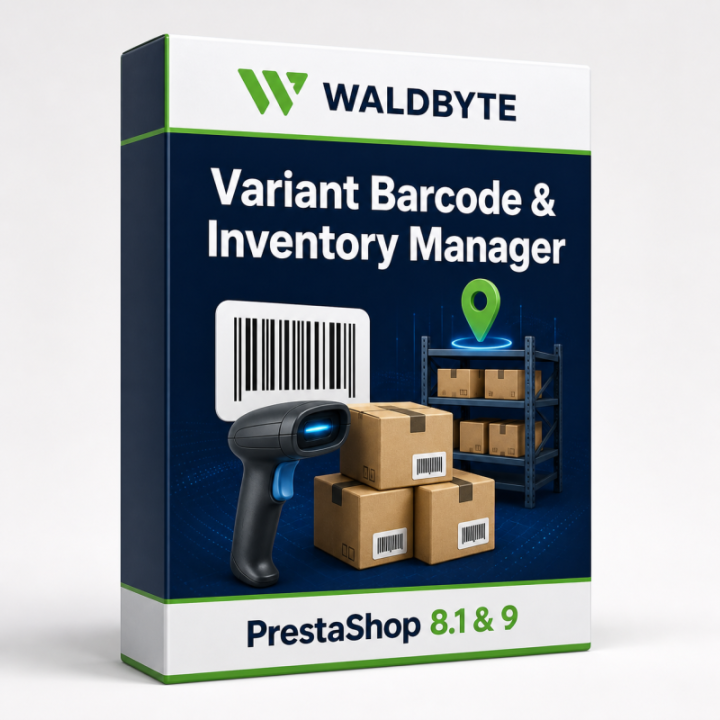
Variant Barcode & Inventory Manager adds operational tools for exact product variants to the PrestaShop Back Office. Manage SKUs, EANs, UPCs and barcodes, assign storage locations, scan stock movements, run inventory counts, print labels, and verify order picking and packing.
Native PrestaShop combinations and StockAvailable remain authoritative. The module complements the existing store and does not replace the cart, checkout, carriers or PrestaShop's order stock lifecycle.
- Exact management of every purchasable variant, including products without combinations
- Local CODE 128, CODE 39, EAN-13, EAN-8, UPC-A and QR rendering
- Scanner-assisted receiving, stock removal, counting, picking and packing
- Native PrestaShop stock synchronization with row locks for critical operations
- Two-step CSV validation and apply workflow
- Auditable identifier, location and stock history
Exact variant and identifier management
Each purchasable combination is mapped through its native product_attribute_id and a deterministic key based on attribute groups and values. Existing products and combinations can be synchronized, deleted combinations are deactivated in the module, and the native identity remains visible.
- Manage a per-variant SKU or native PrestaShop reference
- Validate EAN-8, EAN-13 and UPC-A check digits
- Generate missing SKUs from a configurable pattern
- Generate EAN-13 values from a prefix and safe sequence
- Detect duplicate or conflicting identifiers
- Lock identifiers against unintended changes
- Record employee, source, previous and new values
Warehouses, scanner movements and inventory counts
Assign warehouse code and name, default warehouse, aisle, rack, shelf and bin, plus an individual low-stock threshold. Search or scan by SKU, EAN, UPC or barcode, receive stock, remove stock and attach an order, delivery note or free-text reference. Unknown or ambiguous identifiers are rejected and manual movements cannot create a negative stock quantity.
Inventory sessions store an expected-stock snapshot, count variants by barcode, show expected, actual and difference quantities, and apply all differences once. Database locks prevent concurrent apply attempts.
Scope: a variant currently has one module warehouse record and one native PrestaShop total quantity. The module does not maintain parallel partial quantities for the same variant across multiple locations and is not a full warehouse management system.
Labels, CSV and order verification
- A4 and thermal 50 × 30 mm label templates plus custom dimensions, rows and columns
- Optional product name, variant options, SKU, EAN, UPC, price and location
- Local SVG barcode generation and browser print preview
- Variant-exact CSV export with identifiers, quantity and location
- Validation of file size, headers, variant identity, conflicts, check digits, locks, quantities, warehouses, barcode formats and supported characters before import
- Spreadsheet-formula neutralization during export
- Order picking by PrestaShop order reference with wrong-variant and over-picking prevention
- Automatic transition to packing verification and atomic scan limits
Picking and packing do not deduct stock again. PrestaShop remains responsible for the order and stock lifecycle.
Dashboard, security and data processing
The dashboard highlights managed variants, missing barcodes and locations, low or negative native stock, identifier conflicts and today's stock movements. Audit and movement logs record identifier locks, warehouse data and stock changes with employee, source, reference and timestamp.
- Back Office only, using PrestaShop admin tokens and employee permissions
- Input validation, type conversion and escaped Back Office output
- Shop-scoped variant queries for multistore contexts
- Transactions and row locks for critical stock operations
- No external barcode API, telemetry, licence server or product-data transfer
The module does not create customer accounts, process payment data or send module or product data to Waldbyte or other external services.
Requirements: PrestaShop 8 and PrestaShop 9
- PrestaShop 8: 8.1.x or newer
- PrestaShop 9: supported
- PHP: 8.1 or newer
- Database: MySQL or a compatible database supported by the selected PrestaShop release
- JavaScript enabled in the Back Office and a modern browser
- Keyboard-compatible USB or Bluetooth scanner recommended
- Back up the store files and database.
- Upload the ZIP through Modules > Module Manager > Upload a module.
- Install the module and open Variant Barcode & Inventory under Catalog.
- Synchronize existing variants and configure the default warehouse, SKU pattern, EAN prefix, low-stock threshold and barcode settings.
- Test the scanner, label format and a complete order workflow.
Version 1.2.0 and uninstall behaviour
Version 1.2.0 adds module and native-stock row locks, concurrency protection for inventory, picking and packing, preservation of native negative-stock rules, server-side pagination, SQL-backed conflict statistics, CSV formula protection, improved failed-install cleanup and CLI regression checks.
The module creates 13 tables with the pvm_ prefix. They remain by default after uninstall to protect count, audit and movement records. Explicitly enable data deletion in the settings if the tables should be removed.
Transparent product limits
This module is not an ERP, carrier or complete warehouse management system. It does not provide parallel partial quantities per warehouse, a native mobile application, or direct control of specialist scanners and label printers. Browser printing must be configured and tested for each workstation.
Licence, support and updates
- Included licence: one production PrestaShop installation; non-exclusive and non-transferable.
- Included support: download access, installation and configuration questions, and investigation of reproducible module defects in a listed standard environment.
- Not included: installation service, custom development, theme changes, third-party module conflicts, migration or specialist integrations.
- Updates: the current 1.2.0 package is included. No fixed period of free future updates is promised, and there is no subscription or automatic renewal.
Request a demo or check compatibility for your store



Comments (0)
Your review appreciation cannot be sent
Report comment
Report sent
Your report cannot be sent